How to Generate Designs in ChatGPT. Social Media Posts, Ads & Marketing Graphics
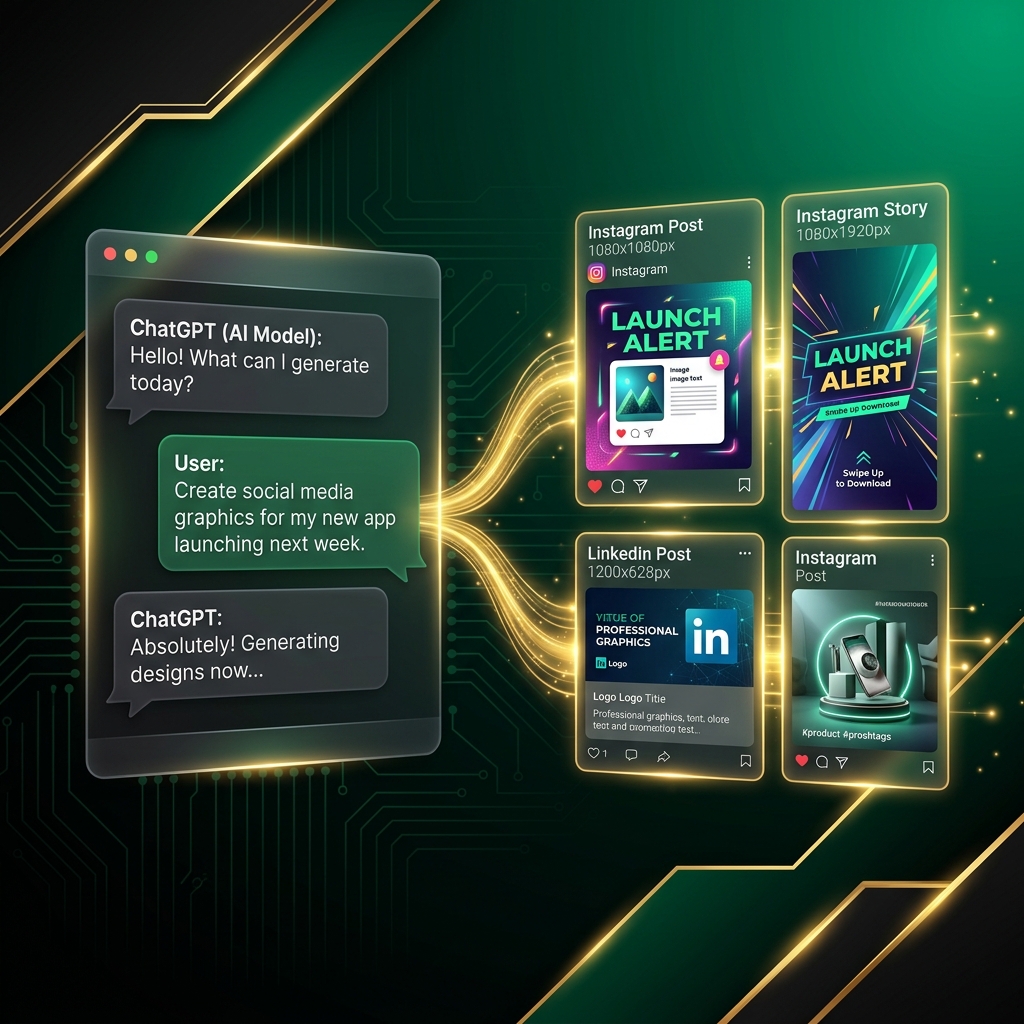
Yes, ChatGPT can design social media posts. Not through its built-in image generation (which produces raw artwork), but by connecting ChatGPT to a design platform via MCP. The result: brand-consistent Instagram posts, LinkedIn graphics, ad creatives, carousels, and marketing videos, all generated from your ChatGPT conversation.
If you've searched for "can ChatGPT design social media posts" or "how to generate designs in ChatGPT", this guide covers everything: the setup, what it produces, limitations of built-in vs MCP-powered design, and real prompt examples.
ChatGPT Built-In Image Generation vs MCP Design
ChatGPT has built-in image generation (DALL-E / GPT-Image). But there's a critical difference between generating an image and generating a design:
| ChatGPT Built-In (DALL-E) | ChatGPT + Design MCP | |
|---|---|---|
| Output | Raw AI artwork/photos | Branded marketing materials |
| Text in images | ❌ Garbled, misspelled | ✅ Clean, accurate typography |
| Brand awareness | ❌ No concept of your brand | ✅ Loads colors, fonts, logo, tone |
| Platform formats | ❌ Generic square images | ✅ Instagram 1:1, Stories 9:16, LinkedIn 1.91:1 |
| Carousels | ❌ Cannot create multi-slide | ✅ Up to 15-slide carousels |
| Campaigns | ❌ One image at a time | ✅ 10-20 cohesive campaign designs |
| Video | ❌ No video generation | ✅ AI video with native audio |
| Logo placement | ❌ Cannot reliably render logos | ✅ Automatic logo integration |
| Auto-posting | ❌ No | ✅ Direct to Instagram, LinkedIn, etc. |
| Ready to publish | ❌ Needs separate design tool | ✅ Publish-ready output |
The bottom line: DALL-E generates pictures. A design MCP generates marketing-ready materials with your brand identity baked in.
How to Set Up Design Generation in ChatGPT
Step 1: Create a Free Meepo Account
Go to studio.meepo.app/auth/sign-up. You get 20 free AI design credits, no credit card required.
Step 2: Add the MCP Server to ChatGPT
- Open ChatGPT
- Go to Settings (gear icon, bottom-left)
- Click MCP Servers (or Connections → MCP)
- Click Add Server
- Enter:
- Name:
meepo - URL:
https://meepo-mcp-server.meepo.app/mcp
- Name:
- Click Save
ChatGPT discovers Meepo's 24 design tools automatically.
Step 3: Authenticate
Start a new conversation and ask ChatGPT to create a design. An OAuth popup appears:
- Click Authorize
- Log in with your Meepo account
- Grant ChatGPT access to your design workspace
Done once, authentication persists across sessions.
Step 4: Set Up Your Brand (Optional but Recommended)
Log into Meepo Studio and create a brand profile:
- Logo, upload your logo file
- Colors, primary, secondary, accent (hex codes like #1A5F4B)
- Fonts, heading and body fonts
- Tone, professional, playful, bold, minimal, etc.
Without a brand profile, ChatGPT still generates designs, but they won't match your brand identity. With a brand profile, every design automatically uses your exact colors, fonts, and logo.
What ChatGPT Can Generate
Once connected, ChatGPT generates these design types:
Social Media Posts
- Instagram Feed (1080×1080, 1:1)
- Instagram Stories (1080×1920, 9:16)
- LinkedIn Posts (1200×627, 1.91:1)
- Facebook Posts (1200×630)
- Twitter/X Posts (1600×900)
- TikTok Covers (1080×1920)
Carousels
- Instagram Carousels (up to 15 slides)
- LinkedIn Carousels (document-style)
Marketing Materials
- Email headers and banners
- Flyers and brochures
- Ad creatives (multiple variants for A/B testing)
- Promotional banners
Video
- AI-generated marketing videos (via Seedance 2.0)
- Native audio synchronization
- Multiple aspect ratios
Campaign Batches
- 10-20 cohesive designs from one prompt
- Consistent visual identity across all pieces
- Multi-platform output in one request
12 ChatGPT Prompts for Design Generation
Copy-paste these into ChatGPT after connecting Meepo:
Quick Social Posts
1. Product announcement:
"Create an Instagram post announcing our new product [name]. Highlight [key feature]. Use our brand colors and logo."
2. Daily quote:
"Design a motivational Monday Instagram post with an inspiring quote about entrepreneurship. Minimal style, our brand."
3. LinkedIn thought leadership:
"Create a LinkedIn post graphic about [industry trend]. Professional tone, include data visualization element."
Carousels
4. Educational carousel:
"Create a 7-slide Instagram carousel: '7 Tips for [Topic].' One tip per slide. Include intro and CTA slides."
5. Product showcase:
"Design a 5-slide carousel showcasing our top products with pricing. Clean layout, our brand."
Campaigns
6. Product launch:
"Create a product launch campaign: 3 teaser posts, 1 launch announcement, 2 feature highlights, 1 testimonial spotlight. Instagram format, all on-brand."
7. Seasonal campaign:
"Black Friday campaign: countdown post, 3 deal announcements, 1 'last chance' post. Urgency-focused, bold typography."
Ads
8. A/B test variants:
"Generate 4 Instagram ad variants for our summer sale. Same offer (30% off), different visual approaches. Include CTA button."
9. Facebook ad:
"Create a Facebook ad creative. Headline: [X]. Subtext: [Y]. CTA: Shop Now. 1200×628 format."
Email & Marketing
10. Newsletter header:
"Design an email header (600×200) for our weekly newsletter. Theme: [topic]. On-brand."
11. Event flyer:
"Create a digital flyer for our upcoming webinar. Date: [X]. Topic: [Y]. Include registration link placeholder."
Video
12. Short promo video:
"Create a 10-second promotional video for our new feature. Dynamic transitions, our brand colors."
Real Conversation Example
Here's what a typical ChatGPT + design workflow looks like:
You: Hey, I need Instagram content for this week.
     Create 5 posts for our coffee shop brand:
     - Monday: New seasonal latte announcement
     - Tuesday: Behind-the-scenes roasting process
     - Wednesday: Customer testimonial feature
     - Thursday: Coffee brewing tip
     - Friday: Weekend special promotion
     All on-brand, Instagram 1:1 format.

ChatGPT: I'll create all 5 posts for you. Let me load your brand
         first and then generate each design.

         [Calls brand_get → loads "Bean & Brew" brand profile]
         [Calls chat_create × 5 → generates each post]

         Here are your 5 Instagram posts:

         1. 🍂 Seasonal Latte, [design URL]
         2. 🔥 Behind the Roast, [design URL]
         3. ⭐ Customer Love, [design URL]
         4. ☕ Brew Tip, [design URL]
         5. 🎉 Weekend Special, [design URL]

         All designs use your Bean & Brew brand colors
         (deep brown #3E2723, cream #FFF8E1), Playfair Display
         headings, and your logo in the bottom-right corner.

You: Love these! Can you also create matching Story
     versions for Monday and Friday?

ChatGPT: [Calls chat_create × 2 with 9:16 Story format]

         Here are the Story versions:
         1. Seasonal Latte Story, [design URL]
         2. Weekend Special Story, [design URL]
7 designs, 2 minutes, one conversation.
Limitations to Know
What ChatGPT + MCP Design Can Do
- ✅ Generate brand-consistent marketing materials
- ✅ Create platform-specific formats (Instagram, LinkedIn, etc.)
- ✅ Produce campaign batches with visual consistency
- ✅ Generate video content
- ✅ Auto-post to social media
- ✅ Render clean, readable text in designs
What It Cannot Do
- ❌ Pixel-level editing (use Meepo Studio or Figma for precision edits)
- ❌ Import/edit your existing design files (use Figma MCP for that)
- ❌ Photo retouching or manipulation
- ❌ 3D rendering or complex illustrations
- ❌ Generate designs offline (requires internet connection)
ChatGPT Plus vs Free for Design
| Feature | ChatGPT Free | ChatGPT Plus ($20/mo) |
|---|---|---|
| MCP server support | ❌ Not available | ✅ Full support |
| Design generation via MCP | ❌ | ✅ |
| Built-in DALL-E | Limited | Full access |
| Conversation length | Short | Extended |
| Verdict | Cannot use design MCP | Required for design workflows |
You need ChatGPT Plus ($20/mo) to use MCP servers. Combined with Meepo's free tier, total cost is $20/month for ChatGPT + design generation.
ChatGPT vs Claude for Design Generation
Both agents connect to the same Meepo MCP server and produce identical design quality. The difference is in workflow experience:
| Aspect | ChatGPT | Claude |
|---|---|---|
| Setup | Settings → MCP → Add URL | Config file edit |
| Interface | Familiar chat UI, largest user base | Clean, focused interface |
| Best strength | Quick single designs, intuitive prompting | Multi-step campaigns, strategic planning |
| Context window | 128K tokens | 200K+ tokens |
| Campaign planning | Good | Excellent |
| Speed | Fast | Fast |
| Design quality | Identical (same MCP server) | Identical (same MCP server) |
Choose ChatGPT if: You're already a ChatGPT user and want the fastest path to design generation.
Choose Claude if: You need complex campaign workflows with deep strategic planning.
FAQ
Can ChatGPT really design social media posts?
Yes, when connected to a design MCP server. ChatGPT's built-in DALL-E generates raw images, but an MCP design tool generates formatted, branded marketing materials with clean text, proper dimensions, and logo placement.
Is the design quality professional enough to publish?
Yes. Meepo generates agency-quality marketing materials. The AI generation produces the initial design, and optional human designer review polishes to professional standard. Most users publish AI-generated designs directly.
How many designs can I generate per day?
No daily limit from ChatGPT's side. Your limit is Meepo credits: 20/month (free), 100/month ($8), or 300/month ($20). Each design typically costs 1-2 credits.
Can I use this for client work?
Yes. All generated designs are yours to use commercially. No attribution required. Agency plans ($199-$699/month) include human designer polish for client-ready output.
Does ChatGPT save my designs?
ChatGPT doesn't store designs. Designs are saved in your Meepo workspace at studio.meepo.app where you can download, share, or auto-post them.
What happens if I run out of Meepo credits?
ChatGPT will tell you when credits are low (it can call credits_check). Free credits refill monthly, or upgrade to Creator ($8/mo) for 100 credits.
The Bottom Line
ChatGPT becomes a design tool when connected to a design MCP server. The setup takes 3 minutes, and every conversation can now produce publish-ready marketing materials.
What changes:
- "Design an Instagram post" → actual branded design (not a raw AI image)
- "Create a campaign" → 10-20 cohesive designs, one prompt
- "Make ad variants" → A/B test-ready creatives with proper formatting
What stays the same:
- Your normal ChatGPT experience, just type what you need
- Your brand identity, loaded automatically from your profile
- Your creative control, prompts reflect your vision
Stop switching between ChatGPT and design tools. Connect them.
Generate designs in ChatGPT right now. Add https://meepo-mcp-server.meepo.app/mcp in Settings → MCP Servers. Create your free Meepo account →
Ready to automate your design workflow?
Try Mosea free. AI generates designs instantly, human designers polish to agency quality.
Start Free