Marketing MCP Connector. Automate Design Generation from Your AI Agent
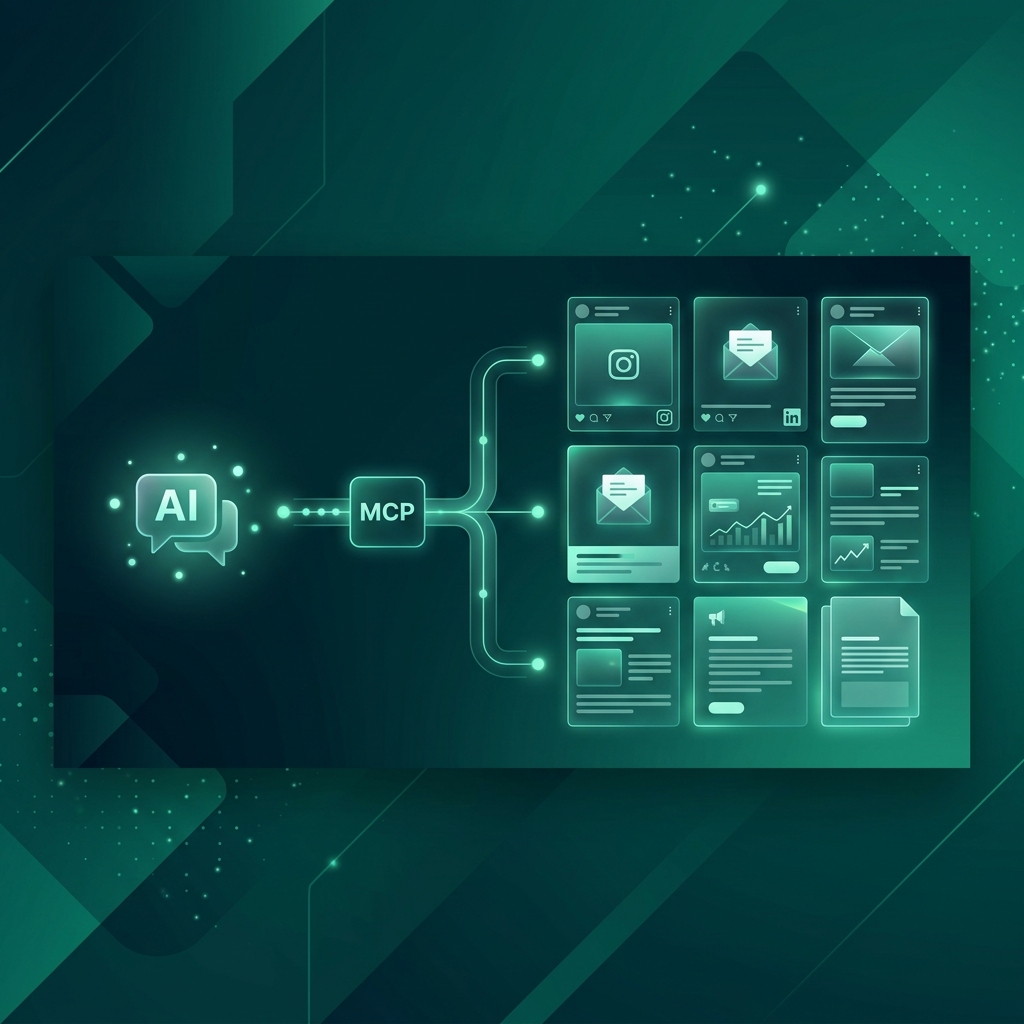
A marketing MCP connector is the bridge between your AI agent and a design generation platform. It lets AI assistants like Claude, ChatGPT, Cursor, and Gemini automate the creation of marketing materials, social media posts, ad creatives, carousels, email headers, and full campaigns, without a single manual design step.
If you've searched for "MCP connector to automate marketing design" or "marketing MCP connector", this post explains exactly how it works, what marketing workflows it automates, and how to connect in under 60 seconds.
What Makes It a "Marketing" MCP Connector?
A generic MCP server connects an AI agent to an external tool. A marketing MCP connector specifically connects to a design platform that understands marketing deliverables:
| Generic MCP Server | Marketing MCP Connector |
|---|---|
| Exposes generic API functions | Exposes marketing-specific tools (campaigns, brand kits, social formats) |
| No concept of brand identity | Brand profiles loaded automatically, colors, fonts, logo, tone |
| Single outputs | Campaign-level batches, 10-20 cohesive designs from one prompt |
| No platform awareness | Platform-adapted output. Instagram (1:1), Stories (9:16), LinkedIn (1.91:1) |
| No scheduling | Auto-posting, design → schedule → publish directly |
The difference matters because marketing design isn't just "make a picture." It's "make a brand-consistent, platform-optimized, campaign-cohesive marketing asset that's ready to publish."
5 Marketing Workflows a MCP Connector Automates
1. Weekly Social Media Pipeline
Without MCP connector:
- Open content calendar → check what's due this week
- Write post copy in a doc
- Open Canva/Figma → create graphic
- Export → upload to scheduling tool
- Repeat 5-7 times
Time: 3-5 hours per week. Humans involved: 1-2.
With MCP connector:
- Tell your AI agent: "Generate this week's social media content for [brand]. 7 posts, 2 product highlights, 2 tips, 1 testimonial, 1 behind-the-scenes, 1 promotional."
- Agent calls
brand_get→ loads brand profile - Agent calls
chat_create× 7 → generates each post with brand context - Agent calls
generation_list→ retrieves all design URLs - Download or auto-post to social channels
Time: 2-3 minutes. Humans involved: 1 (reviewer).
That's a 95% time reduction for the most repetitive marketing task every team faces.
2. Product Launch Campaign
A product launch needs coordinated assets across multiple platforms, and they all need to look like they belong together.
One prompt to your AI agent:
"Create a product launch campaign for [brand]. 2 weeks. Include: teaser countdown (3 posts), launch announcement, feature highlights (4 posts), customer testimonial spotlight, bundle deal promotion, and a thank-you post. Instagram 1:1 format."
What the agent does:
- Calls
brand_get→ loads brand colors (#1A5F4B, #00D4AA), fonts, logo - Calls
campaign_create→ creates "Product Launch 2026" campaign - Calls
chat_create× 12 → generates each post within campaign context - All 12 designs maintain visual consistency, same palette, typography, layout system
- Returns download links for all assets
Result: 12 campaign-ready designs in under 5 minutes. A design agency quotes 2-3 weeks and $3,000-$5,000 for equivalent output.
3. Seasonal / Event Campaigns
Seasonal campaigns are predictable but still consume enormous design hours. Every Ramadan, Christmas, Valentine's Day, or Black Friday requires a fresh set of themed assets.
Example prompt:
"Ramadan campaign for our restaurant brand. Include: iftar menu specials, family package promotion, countdown to Eid, customer appreciation post, and Eid greeting. Warm, inviting tone."
The marketing MCP connector generates 8-15 themed designs maintaining cultural sensitivity and brand consistency, all from a single instruction.
Seasonal campaign types that work well:
- Ramadan / Eid
- Christmas / New Year
- Black Friday / Cyber Monday
- Valentine's Day
- Back to School
- National holidays
- Industry-specific events (Fashion Week, SXSW, CES)
4. Email Campaign Headers
Email marketing campaigns need designed headers that match the email content and brand. Traditionally, this means a separate design request per email, adding 1-2 days to every email campaign timeline.
With MCP connector:
"Create email headers for our 5-email welcome sequence. Email 1: Welcome to [brand]. Email 2: How to get started. Email 3: Top features. Email 4: Customer success story. Email 5: Special offer. 600x200px, on-brand."
Five designed email headers, consistent style, delivered in 90 seconds.
5. Multi-Platform Content Adaptation
The biggest time sink in marketing design isn't creation, it's reformatting. You design one Instagram post, then manually resize for:
| Platform | Aspect Ratio | Dimensions |
|---|---|---|
| Instagram Feed | 1:1 | 1080×1080 |
| Instagram Story | 9:16 | 1080×1920 |
| LinkedIn Post | 1.91:1 | 1200×627 |
| Facebook Cover | 16:9 | 1640×924 |
| Twitter/X Post | 16:9 | 1600×900 |
| TikTok Cover | 9:16 | 1080×1920 |
With MCP connector, one concept → multiple formats:
"Create a summer sale announcement. Generate for Instagram Feed (1:1), Instagram Story (9:16), and LinkedIn (1.91:1). Same concept, adapted per platform."
Three platform-optimized designs from one prompt. What takes 45 minutes manually takes 60 seconds.
How a Marketing MCP Connector Works (Non-Technical)
You don't need to understand JSON-RPC or protocol specifications. Here's the simple version:
Step 1: Connect your AI agent to the design platform Add one URL to your agent's settings. That's the entire "installation."
https://meepo-mcp-server.meepo.app/mcp
Step 2: Set up your brand Log into Meepo Studio, create a brand profile, upload logo, pick colors, set fonts, describe tone of voice. Takes 10 minutes, done once.
Step 3: Talk to your agent Ask for what you need in plain language. The agent reads your brand profile, generates designs through the MCP connector, and returns results.
No Photoshop. No Canva. No design skills required.
Brand Consistency: The Marketing MCP Advantage
When you use a freelancer or template-based tool, brand consistency depends on humans remembering the rules. Colors drift. Fonts get substituted. Logo placement varies.
A marketing MCP connector makes brand rules programmatic:
- Every design loads the same color palette (exact hex codes)
- Every design uses the same typography (heading + body fonts)
- Every design includes the logo in the correct position
- Every design follows the same tone of voice
This matters most at scale. When you're generating 30+ designs per month across social media, email, ads, and campaigns, automated brand compliance is the difference between professional and chaotic.
Time and Cost: Before vs After
Monthly Design Needs for a Typical Marketing Team
| Design Need | Quantity/Month | Freelancer Cost | MCP Connector Cost |
|---|---|---|---|
| Social media posts | 20 | $1,000-$2,000 | Included |
| Email headers | 8 | $320-$640 | Included |
| Ad creatives | 10 | $500-$1,000 | Included |
| Campaign materials | 5 | $250-$500 | Included |
| Blog cover images | 4 | $200-$400 | Included |
| Platform adaptations | 15 | $750-$1,500 | Included |
| Monthly total | 62 designs | $3,020-$6,040 | $8-$20/month |
At Meepo's Creator plan ($8/month) or Pro plan ($20/month), the entire monthly design output costs less than a single freelance invoice.
Time Savings
| Activity | Manual (hours/month) | With MCP Connector (hours/month) |
|---|---|---|
| Social media design | 15-20 | 0.5 |
| Email headers | 4-6 | 0.1 |
| Ad creative variants | 8-10 | 0.3 |
| Campaign design | 6-8 | 0.2 |
| Platform reformatting | 5-8 | 0 (automatic) |
| Total | 38-52 hours | ~1 hour |
That's 37-51 hours per month returned to strategy, analysis, and creative thinking, the work only humans can do.
Which AI Agents Support Marketing MCP?
Any MCP-compatible agent connects to a marketing MCP connector. As of June 2026:
| Agent | Best For |
|---|---|
| Claude (Anthropic) | Campaign planning + batch generation, excels at multi-step marketing workflows |
| ChatGPT (OpenAI) | Quick social media posts, largest user base, familiar interface |
| Cursor | Developer-marketers, generate designs without leaving the IDE |
| Gemini CLI (Google) | Google Workspace teams, integrates with existing Google workflows |
| Windsurf | Technical marketing teams, pairs coding + design generation |
| Manus | Autonomous agents, fire-and-forget campaign generation |
All agents produce equivalent design quality. The MCP connector doesn't care which agent calls it, the design pipeline is the same.
Real Marketing Team Scenarios
Scenario 1: Solo Founder, Daily Posting
Situation: SaaS founder, posts on LinkedIn and Twitter/X daily. No design budget.
MCP workflow: Monday morning, tell Claude: "Generate 5 LinkedIn posts for this week. Topics: [list]. Professional tone, our brand colors."
Result: 5 branded LinkedIn graphics, 5 minutes, $0 additional cost on free tier (20 credits).
Scenario 2: Marketing Manager, Multi-Brand Agency
Situation: Agency managing 3 client brands. Each needs 20+ social posts per month.
MCP workflow: For each brand, tell ChatGPT: "Generate this week's Instagram content for [Brand X]. Load their brand profile. 5 posts: 2 product, 1 testimonial, 1 tips, 1 promotional."
Result: 15 branded posts across 3 brands. ~15 minutes. All brand-consistent.
Scenario 3: E-commerce, Seasonal Campaign
Situation: Online store preparing Black Friday campaign. Needs 25 designs across social, email, and ads.
MCP workflow: Tell Claude: "Black Friday campaign for [brand]. 2-week timeline. Include: countdown posts, deal announcements, category spotlights, email headers, and ad creatives for Instagram and Facebook."
Result: 25 cohesive campaign designs. Under 10 minutes. Agency would quote $4,000+ and 2-3 weeks.
Getting Started in 60 Seconds
Step 1: Create Free Account
Sign up at Meepo Studio, 20 free AI credits, no credit card.
Step 2: Set Up Brand Profile
Upload logo, define colors, pick fonts, describe tone. 10 minutes.
Step 3: Connect Your AI Agent
Claude, add to claude_desktop_config.json:
{
  "mcpServers": {
    "meepo": {
      "type": "streamable-http",
      "url": "https://meepo-mcp-server.meepo.app/mcp"
    }
  }
}
ChatGPT. Settings → MCP Servers → add URL: https://meepo-mcp-server.meepo.app/mcp
Cursor, add to .cursor/mcp.json with same config as Claude.
Step 4: Generate Your First Design
Ask your agent: "Create an Instagram post for [your brand]. Announce [topic]. Use 1:1 ratio."
That's it. Your marketing design pipeline is automated.
FAQ
How is this different from Meepo's Design MCP Server post?
Our Design MCP Server post explains what a design MCP server is and how to connect. This post focuses on specific marketing workflows, campaigns, social media batches, email headers, multi-platform adaptation.
Can I use this for video marketing too?
Yes. The MCP connector includes video tools (video_create_project, video_generate). Generate marketing videos via Seedance 2.0 with native audio sync directly from your agent.
What if my team doesn't use AI agents yet?
You can use Meepo Studio directly (web app) or the Slack bot integration. The MCP connector is one of multiple entry points, not the only one.
Does it replace our marketing team?
No. It replaces the production bottleneck, the hours spent designing, reformatting, and uploading. Your marketing team focuses on strategy, messaging, and performance analysis.
Can the agent post directly to social media?
Yes. Meepo includes auto-posting to Instagram, LinkedIn, Facebook, and Twitter/X. The agent can generate + schedule + publish in one workflow.
The Bottom Line
A marketing MCP connector turns your AI agent into a design-capable marketing assistant. Every workflow that currently requires opening a design tool, waiting for a freelancer, or tweaking a template becomes a single text prompt.
What it automates:
- Weekly social media content batches
- Multi-platform content adaptation
- Campaign-level design generation
- Email campaign headers
- Ad creative variants
- Seasonal campaign materials
What it preserves:
- Your brand identity (programmatic, not hopeful)
- Your marketing strategy (humans decide, AI executes)
- Your creative direction (prompts reflect your vision)
The production layer is automated. The strategy layer stays human.
Connect your AI agent to marketing design. Add https://meepo-mcp-server.meepo.app/mcp to your agent's MCP settings. Start free with 20 credits →
Ready to automate your design workflow?
Try Mosea free. AI generates designs instantly, human designers polish to agency quality.
Start Free